Reprimand
The Reprimand (SP) feature in Kerjoo is designed to help companies issue official reprimands to employees who violate company policies.
All processes are carried out digitally to ensure they are well-structured and properly documented. To use this feature, follow the steps below:
1. Access the Reprimand Sub-Menu
Go to the Manage Employees menu in the admin panel, then select the Reprimand tab.
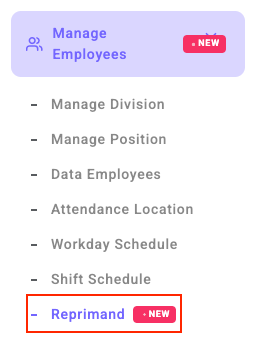
2. Select or Add a Reprimand Type
The admin can select from available types of reprimands (e.g., SP1, SP2, SP3).
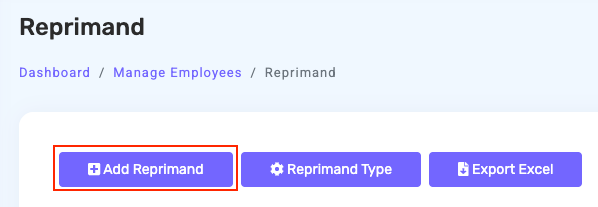
- Use the pencil icon to edit the type of reprimand.

- Use the trash icon to delete any unnecessary types.

If no suitable type exists, the admin can add a new type using the Add Reprimand Type form in the admin panel. 
3. Set the Approver(s)
If the admin designates one or two approvers for the reprimand. System will send a notification to the first approver via the mobile app.

4. Issue the Reprimand
Admin selects the employee to receive the reprimand. Add violation notes or supporting documents if necessary.
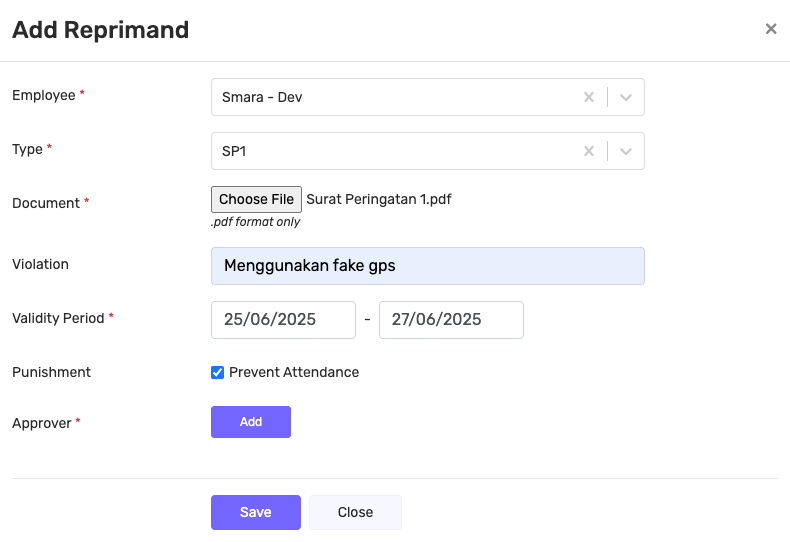
The reprimand will appear in the system with Pending Approval status and can be monitored via the admin panel.

5. Reprimand Approval
The first approver will receive a notification and can:
- Approve
- Reject
- Add notes if necessary
If approved and a second approver is assigned, the system will automatically forward the reprimand to the second approver for the same process.
6. Reprimand Sent to Employee
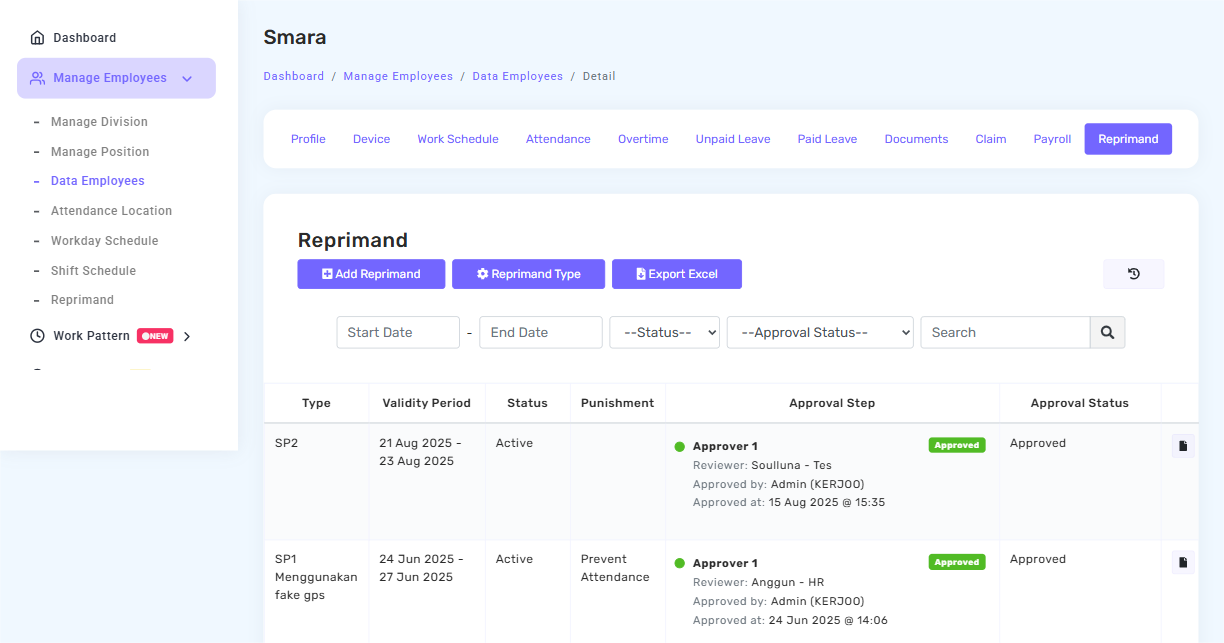
Once all approvers have given approval, the reprimand will be sent to the employee along with a notification in the mobile app. The admin and supervisor can view the reprimand history in the system.

You can also view the list of reprimands by going to: Data Employees > click on the employee’s Detail > select the “Reprimand” tab.
7. Applicable Sanctions
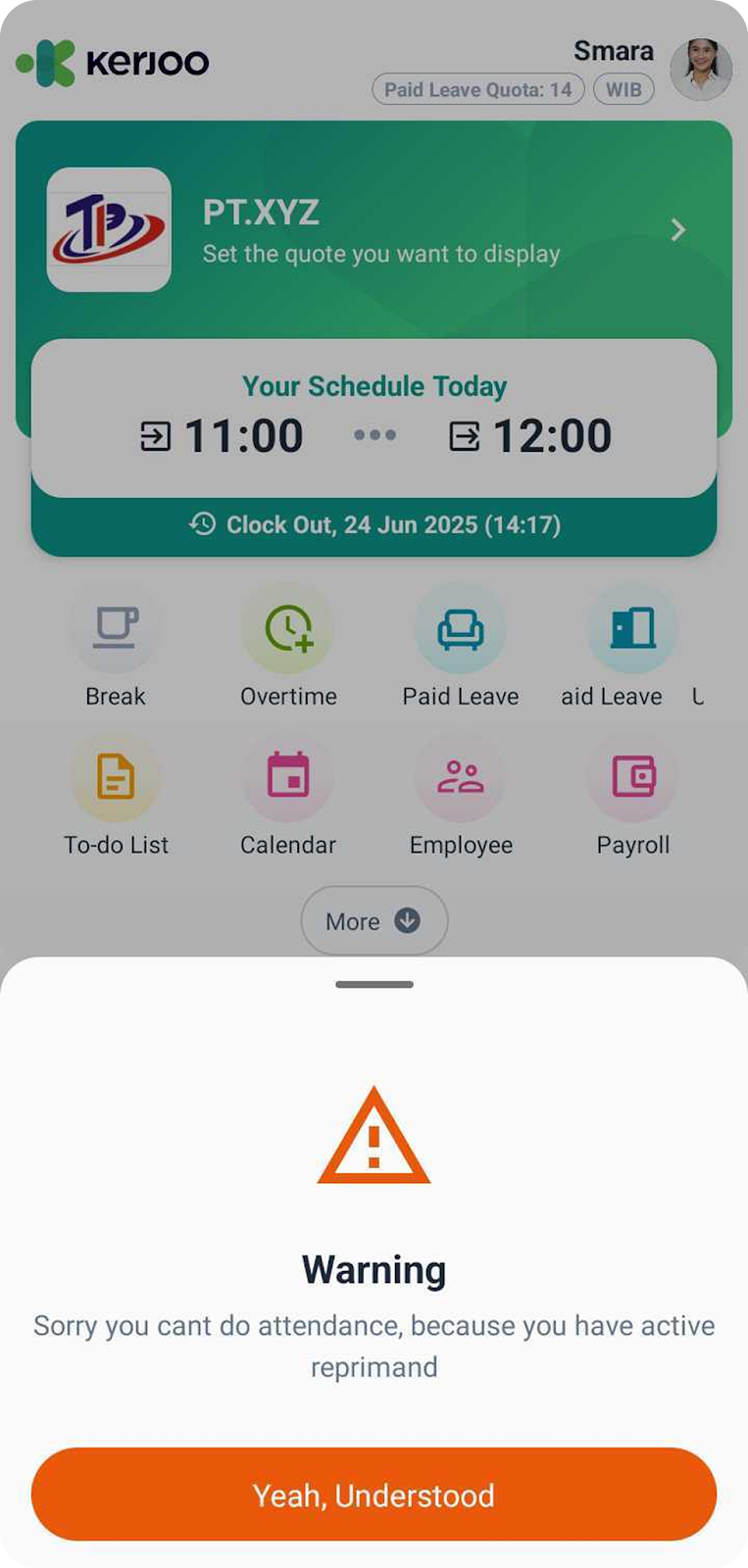
If the reprimand is approved, employee will be unable to check in for attendance. This condition will affect monthly payroll calculations since check-ins are a component of Kerjoo’s payroll system.
8. Automatic History Recording
All processes and changes related to the reprimand are automatically recorded in the system and can be accessed at any time if needed.