Pintu Kerjoo Account
After successfully logging in to the Pintu Kerjoo app, the device used will automatically be registered in the admin panel and listed under Registered Devices.
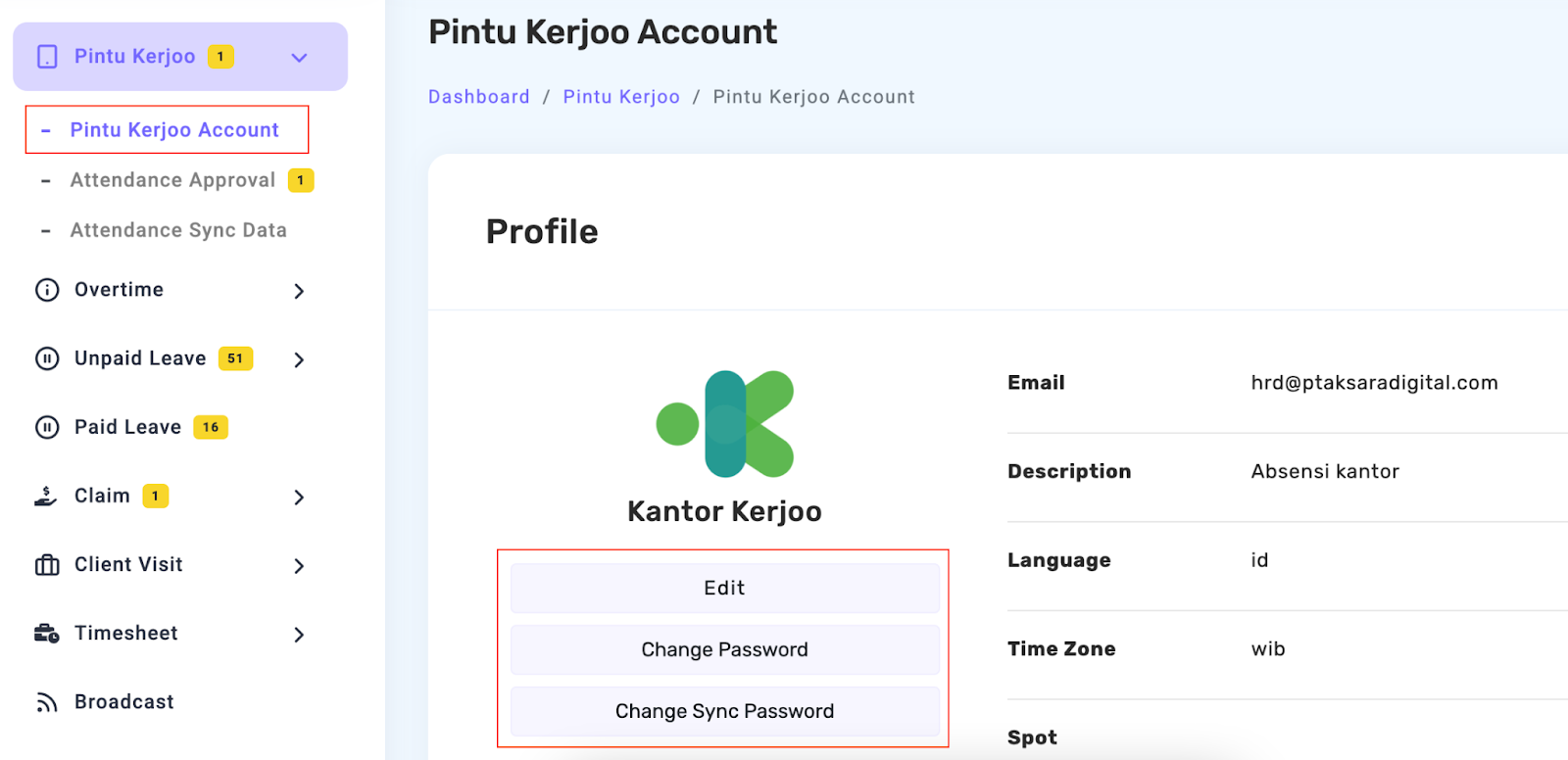
If the company needs to update account information, changes can be made directly through the Kerjoo admin panel. The data that can be updated includes:
- Edit, employee name or attendance location
- Change the Account Password, which is the password used to log in to the Pintu Kerjoo app
- Change the Sync Password, which is the password used to sync attendance data to the main Kerjoo account
Ensure that all updated information is correct before saving the changes.
If the device is no longer used for attendance, it can be removed from the Registered Devices list.
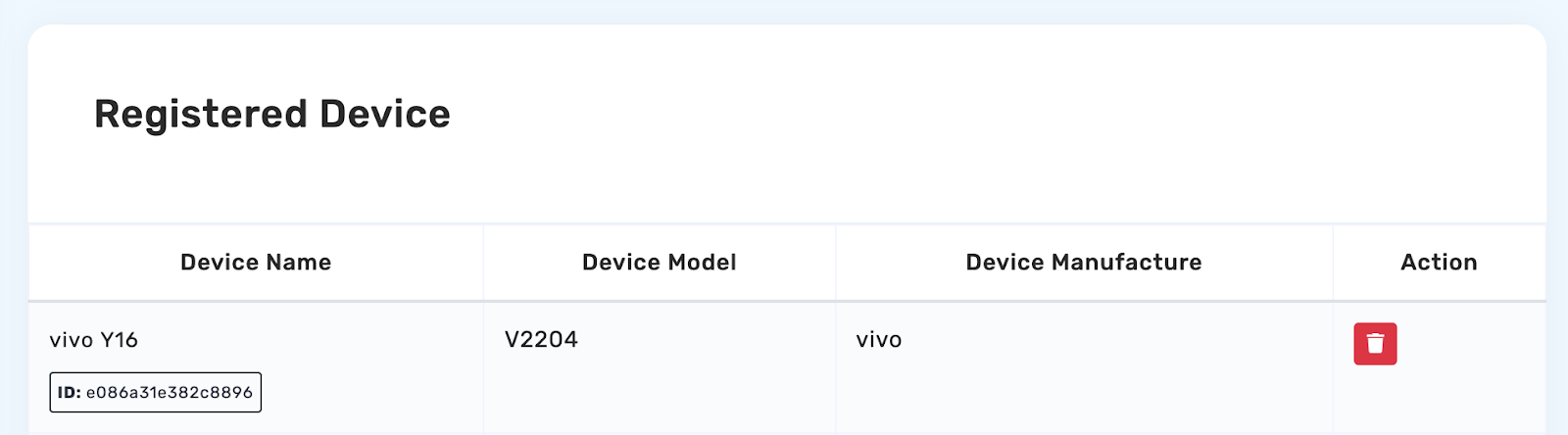
In this menu, you will find a list of devices that can be deleted. Click the 🗑️ icon to remove the device from the list. Once deleted, the device cannot be used for attendance until it is registered again.