Attendance Revision
How to request a correction to an attendance time in the Kerjoo app when the recorded time is wrong.
Use Attendance Revision when a recorded attendance time is wrong, for example because you tapped the attendance button late. A revision applies to an attendance entry that has already been recorded, and only takes effect once it is approved. If the Attendance Revision button does not appear, your company has not enabled this feature.
Open your attendance history
Tap the Activity tab. Use the Weekly, Monthly, or Select Dates filter to find the date, then tap the attendance entry you want to revise.
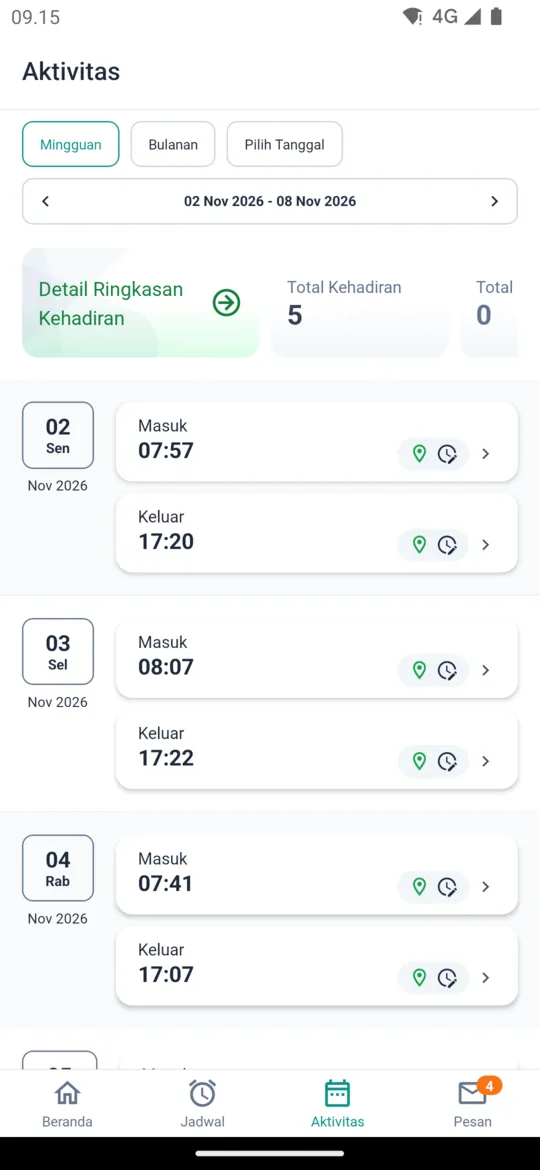
Tap Attendance Revision
The Activity Detail page shows the attendance time and location. Tap the Attendance Revision button at the bottom.
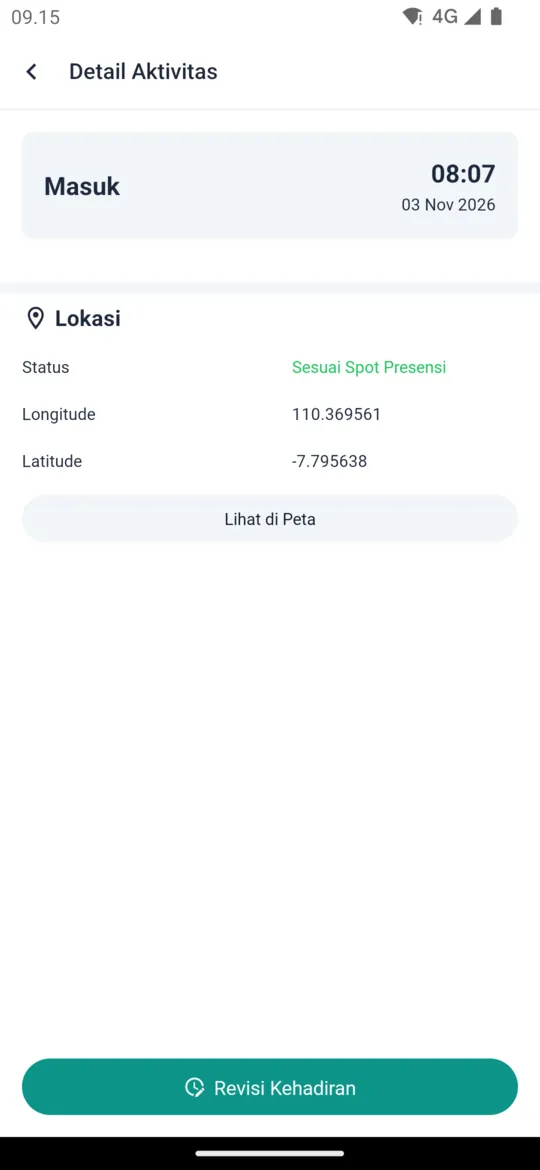
Enter the correct time
The entry being changed is shown under Attendance Revision For. Set the correct Dates and Time, write the Reason, and add one Attachment if you have supporting evidence.
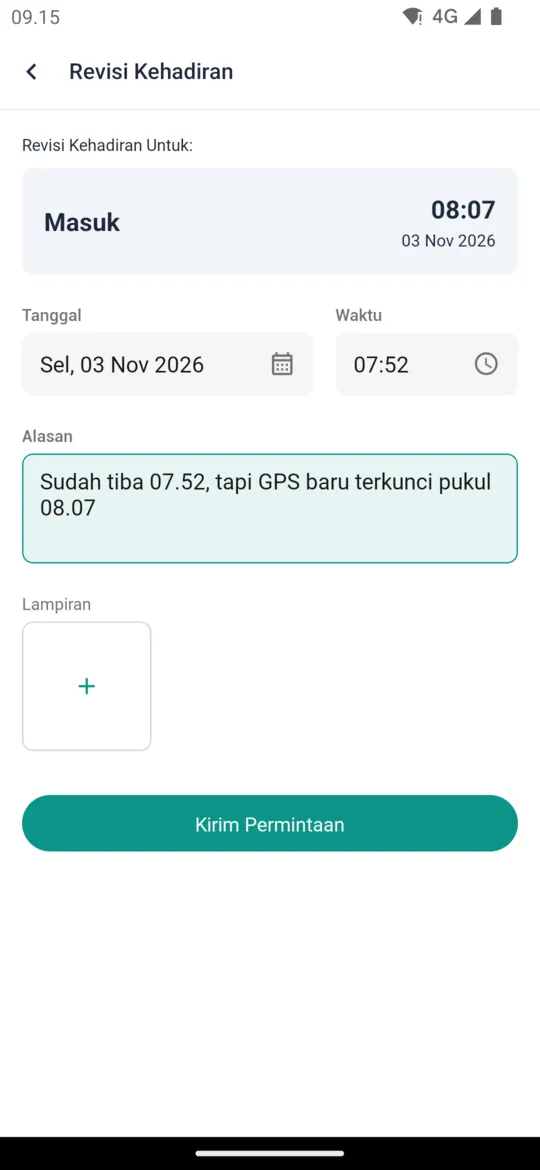
Send the request
Tap Send Request and confirm. You will be notified once the revision is approved or rejected.
Revisions are processed by admins in Attendance Revision, or by supervisors from the app (see Approvals for Supervisors).