Sales Dashboard
The Sales Dashboard feature is used to track sales activities after employees have created client visits.
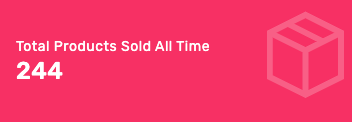
Admin also can view the number of products sold daily or monthly by filtering data according to employee's names and periods.
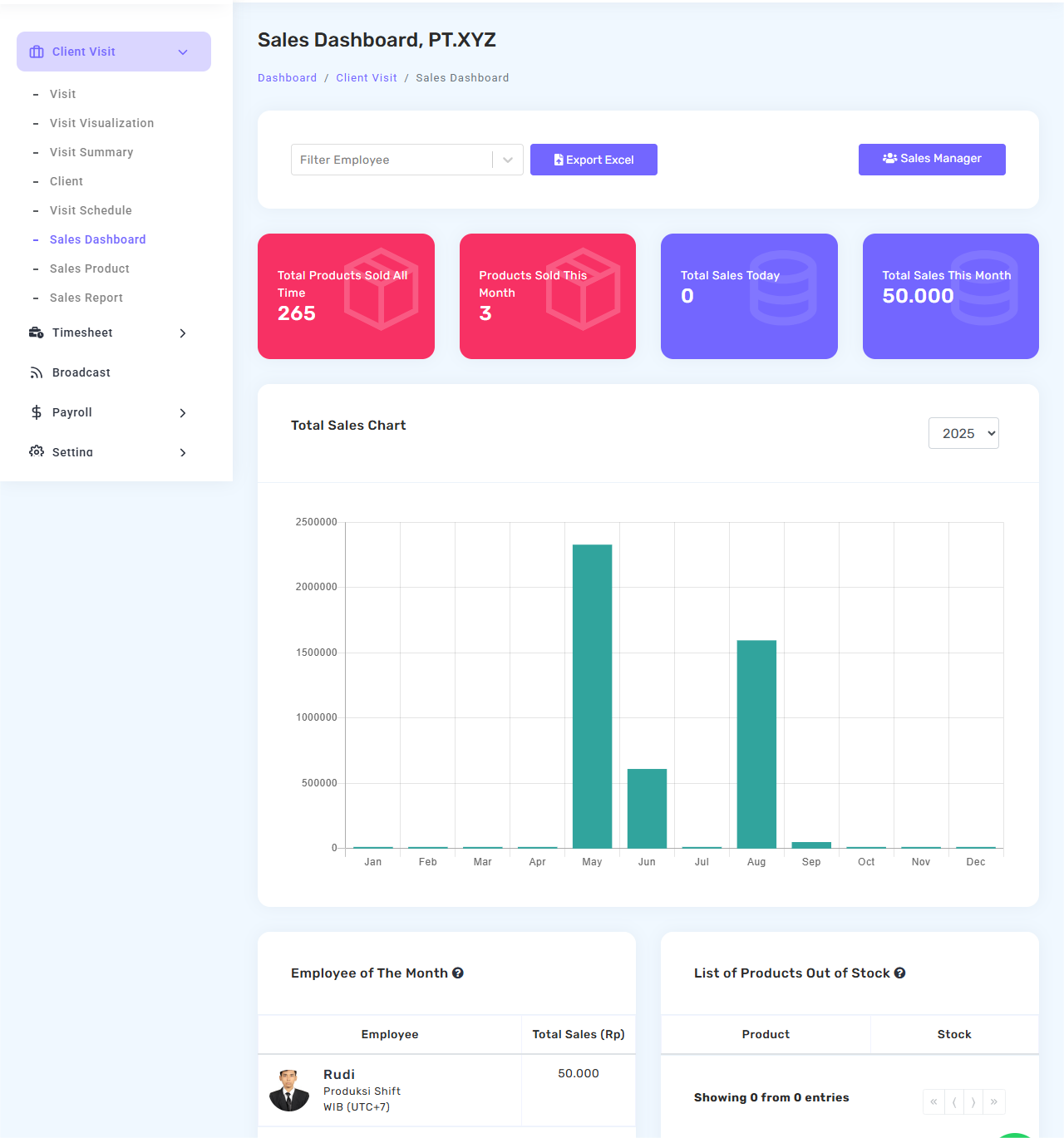
The Excel Export feature allows admin to download sales data for weekly or monthly reporting needs.
Total Sales Chart
This dashboard comes with an annual sales graph to help you see sales performance trends over the year in a visual and easy-to-understand.
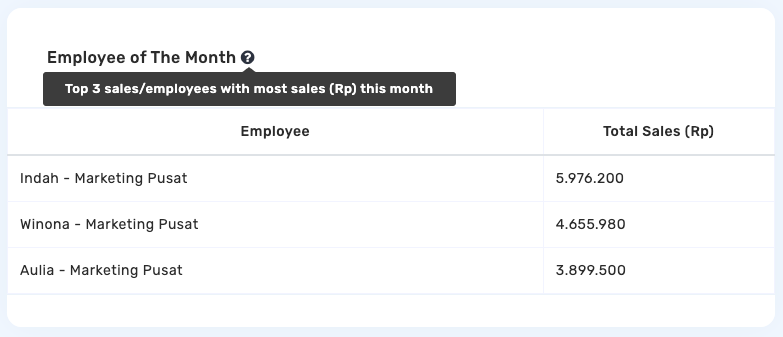
Employee of the Month
The system automatically displays three top performers based on sales achieved during a specified period.
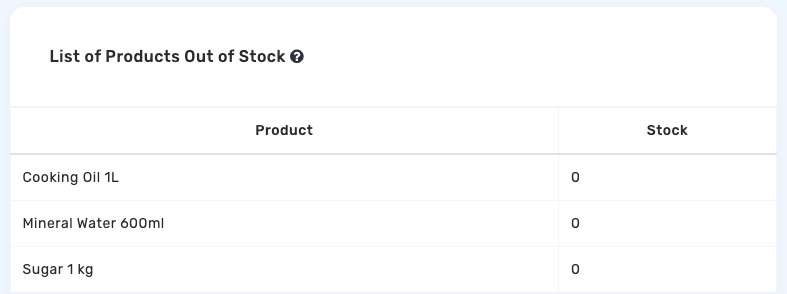
List of Products Out of Stock
To simplify stock management, there is also a list of products that have run out so that the admin can immediately manage or restock.
Discount Settings
Sales teams can now add discounts directly during transactions. There are two types of discounts available:
Product Discount
Discounts applied to specific products in a transaction.
Transaction Discount
Discounts applied to the overall transaction total.
Both discount types support:
- Percentage (%)
- Fixed amount (Rp)
Once applied, the system will automatically update the total transaction amount.
Tax Settings
The system also supports automatic transaction tax calculation. Taxes can be added using:
- Percentage (%)
- Fixed amount (Rp)
The system will automatically calculate:
- Transaction subtotal
- Total discount
- Total tax
- Grand total payment
This feature helps speed up the transaction process and reduce calculation errors.
Send Invoice
After the transaction is completed, sales teams can directly send invoices to customers through the system.
How to Send an Invoice
- Make sure the transaction details are correct
- Click the Send Invoice button
- Enter the customer's email address
- The invoice will be sent automatically
Invoices are sent digitally as proof of transaction.
Admin Monitoring
Admins can view transaction summaries through the Admin Panel, including:
- Transaction subtotal
- Discount
- Tax
- Grand total payment
Admins can also print invoices directly from the system for documentation and payment records.
Feature Benefits
With this latest update, companies can:
- Simplify sales transaction processes
- Reduce manual work
- Minimize human error
- Speed up invoice delivery
- Keep sales administration more organized
- Monitor transactions more easily in real-time