Dashboard
The Kerjoo app confidently presents all activities through clear graphs, charts, and columns. This ensures you can easily track performance and evaluate employees effectively.
You can monitor the following information:
- An overview of employee activity
- Daily clock-in attendance
- Attendance performance
- Report of the top 5 most frequently late employees and the top 5 most disciplined employees.
- Summary of attendance times and locations
- Employee data organized by division, including leave records and permits for the upcoming seven days.
Overview of employee activity
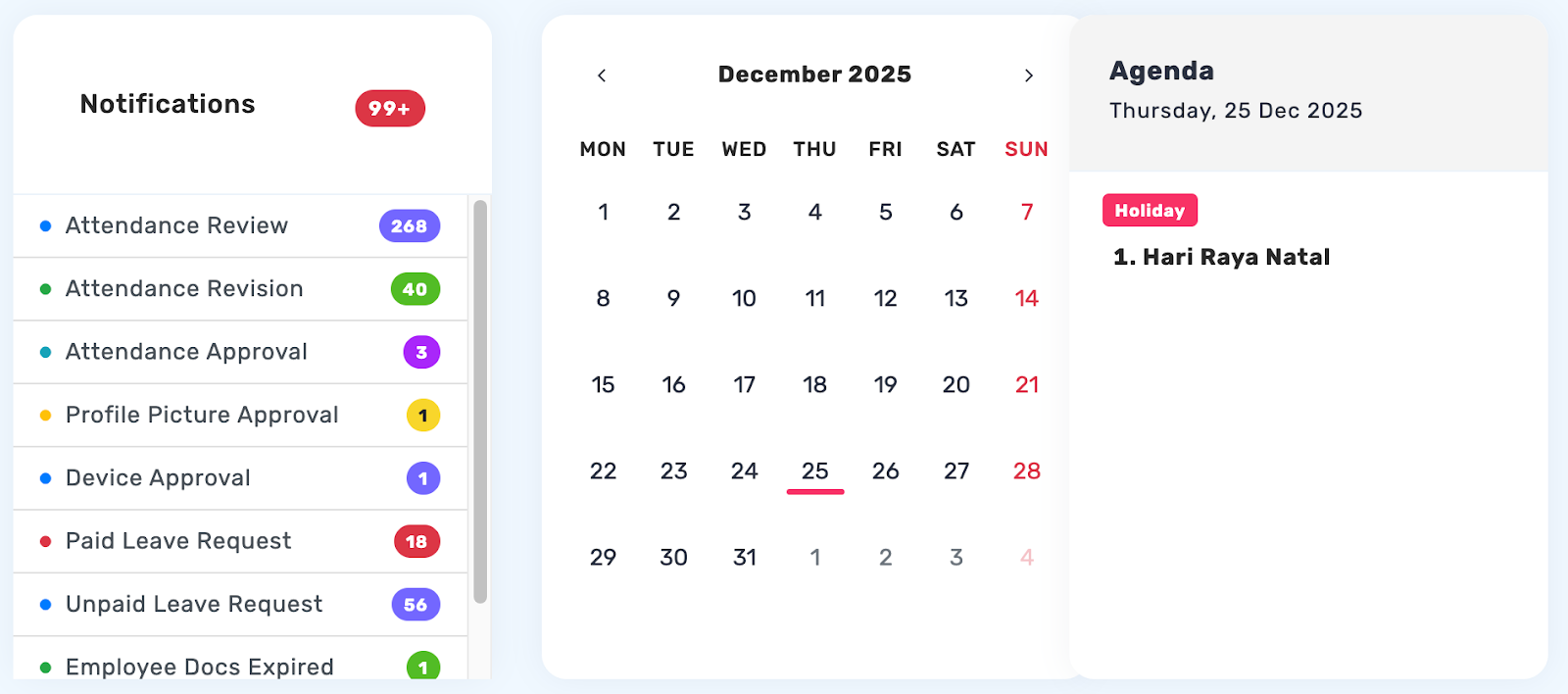
On the dashboard page, you can view a summary of key notifications such as attendance reviews, leave requests, permission requests, and attendance approvals. The calendar displays daily attendance activities, while the ‘Today’s Agenda’ section shows employees who are currently on leave. At the bottom, demographic charts provide insights into employees based on age, generation, and gender to support HR analysis.
Attendance by Division
Displays a recap of employee attendance data based on each division.

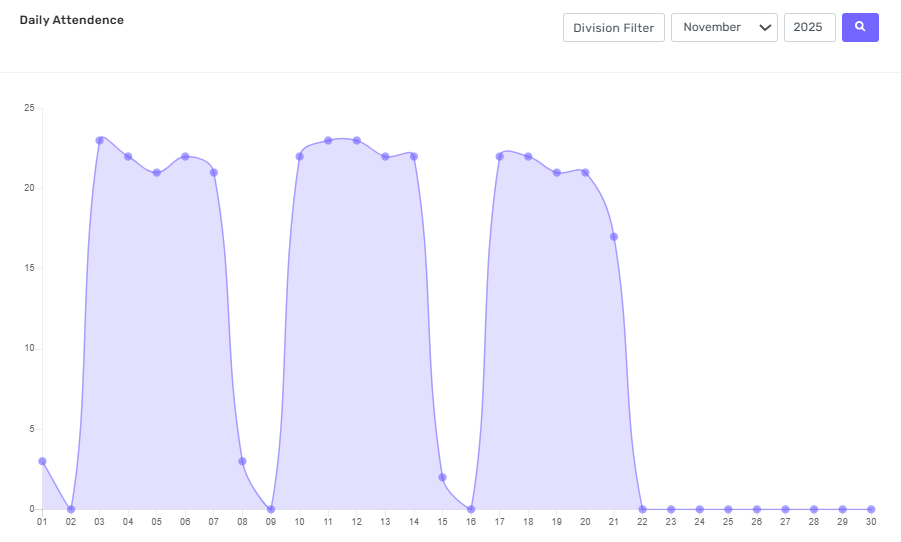
Daily Attendance
Shows the number of employees who performed a check-in each day.`
Employee Report of the Top 5 – Late & Discipline
Displaying the Ranking Report for the Top 5 Most Frequently Late Employees and the Top 5 Most Disciplined Employees.
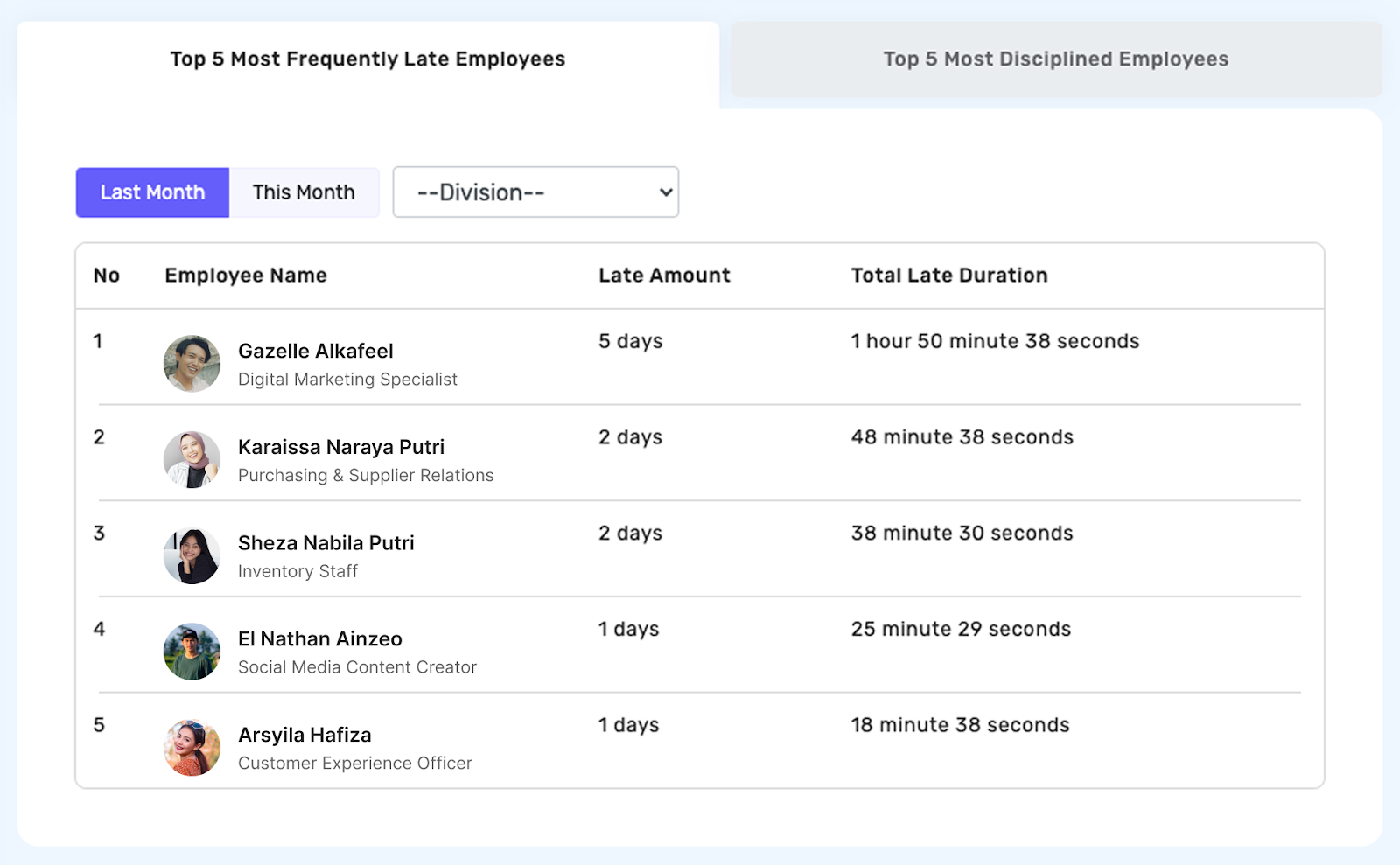
Top 5 Most Frequently Late Employees
Calculated based on the total accumulated lateness duration for each employee over the course of one month, ranked from the most to the least frequent.
Steps to Access:
- Open the Top 5 Most Frequently Late Employees tab.
- Select the Period: This Month or Last Month.
- (Optional) Select a Division from the dropdown menu.
- The system will display a table with the following columns: No | Employee Name | Number of Late Occurrences | Total Lateness Duration (maximum of 5 rows).
- If no data is available, the message “No lateness data available.” will be shown.
Top 5 Most Disciplined Employees
Rankings are based on a score calculated from a combination of factors, including punctual clock-ins, minimal lateness, not leaving early without permission, and proper rescheduling of work hours when leave is taken. Admins can view each employee’s detailed score by clicking on the employee's name in the list.
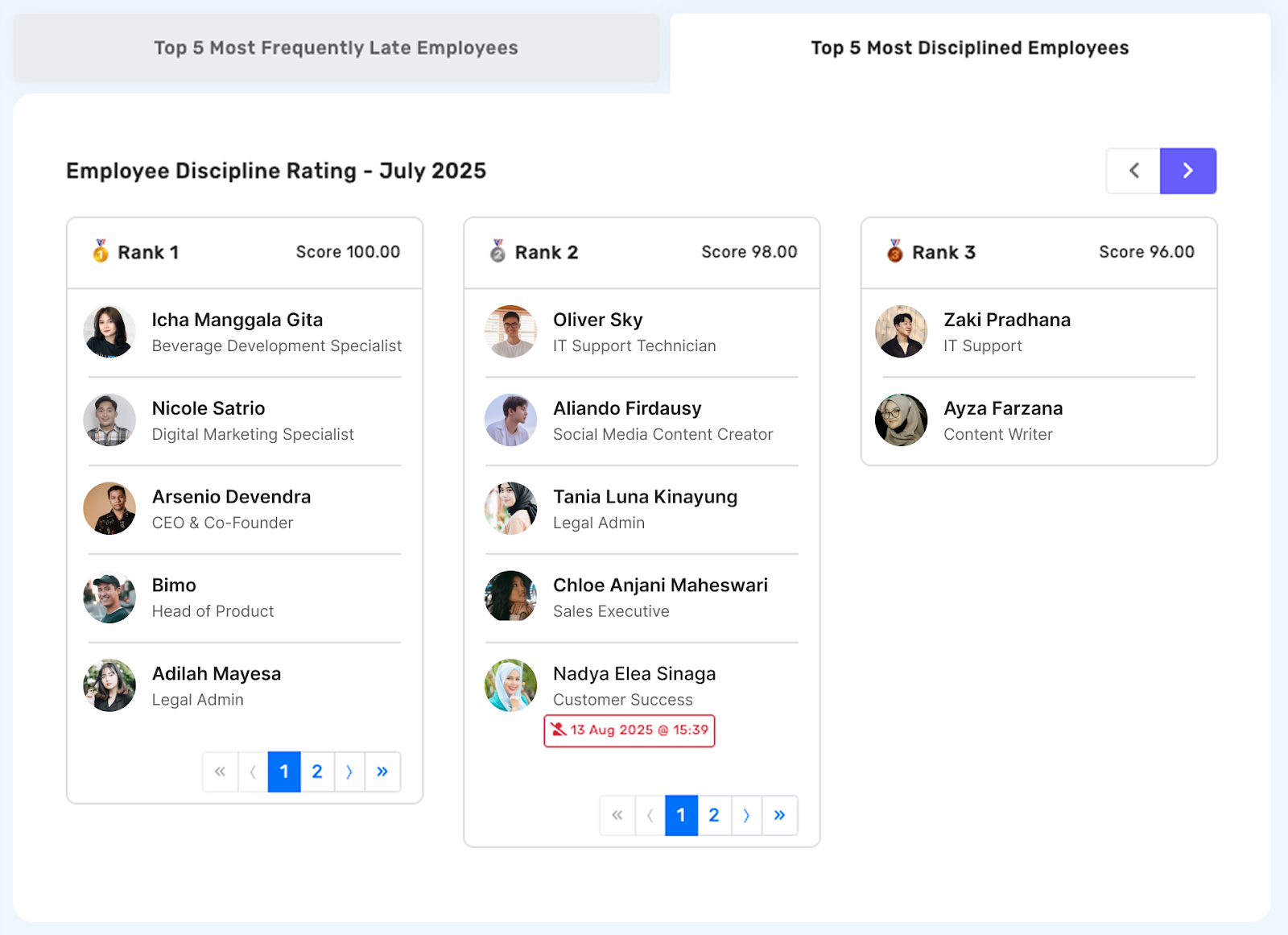
Steps to Access the Top 5 Most Disciplined Employees Tab
- Navigate to the Top 5 Most Disciplined Employees tab.
- Select the Period (e.g., Employee Discipline Rankings – [Month Year]).
- (Optional) Select a Division.
- The system will display a Top 5 ranking table of employees with the fewest instances of lateness and highest discipline scores.
- If no data is available, the message "No discipline data available." will be displayed.
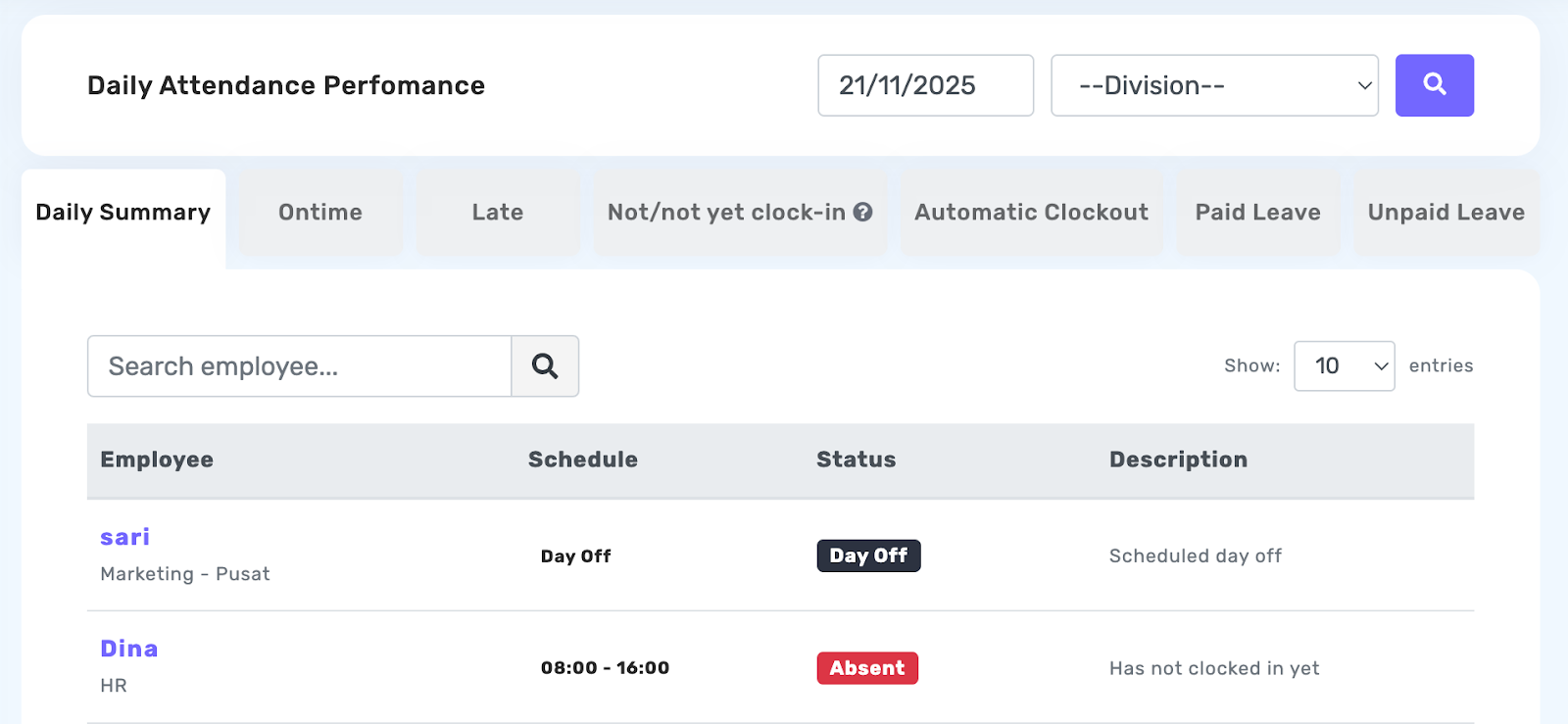
Daily Attendance Performance
Displays a summary recap of attendance, including on-time arrivals, late arrivals, absent/not yet present status, automatic check-out records, leave, and permission.
Employee Report of the Top 5 – Late & Discipline
Displaying the Ranking Report for the Top 5 Most Frequently Late Employees and the Top 5 Most Disciplined Employees.
Top 5 Most Frequently Late Employees
Calculated based on the total accumulated lateness duration for each employee over the course of one month, ranked from the most to the least frequent.
Steps to Access:
- Open the Top 5 Most Frequently Late Employees tab.
- Select the Period: This Month or Last Month.
- (Optional) Select a Division from the dropdown menu.
- The system will display a table with the following columns: No | Employee Name | Number of Late Occurrences | Total Lateness Duration (maximum of 5 rows).
- If no data is available, the message “No lateness data available.” will be shown.
Top 5 Most Disciplined Employees
Rankings are based on a score calculated from a combination of factors, including punctual clock-ins, minimal lateness, not leaving early without permission, and proper rescheduling of work hours when leave is taken. Admins can view each employee’s detailed score by clicking on the employee's name in the list.
Steps to Access the Top 5 Most Disciplined Employees Tab
- Navigate to the Top 5 Most Disciplined Employees tab.
- Select the Period (e.g., Employee Discipline Rankings – [Month Year]).
- (Optional) Select a Division.
- The system will display a Top 5 ranking table of employees with the fewest instances of lateness and highest discipline scores.
- If no data is available, the message "No discipline data available." will be displayed.
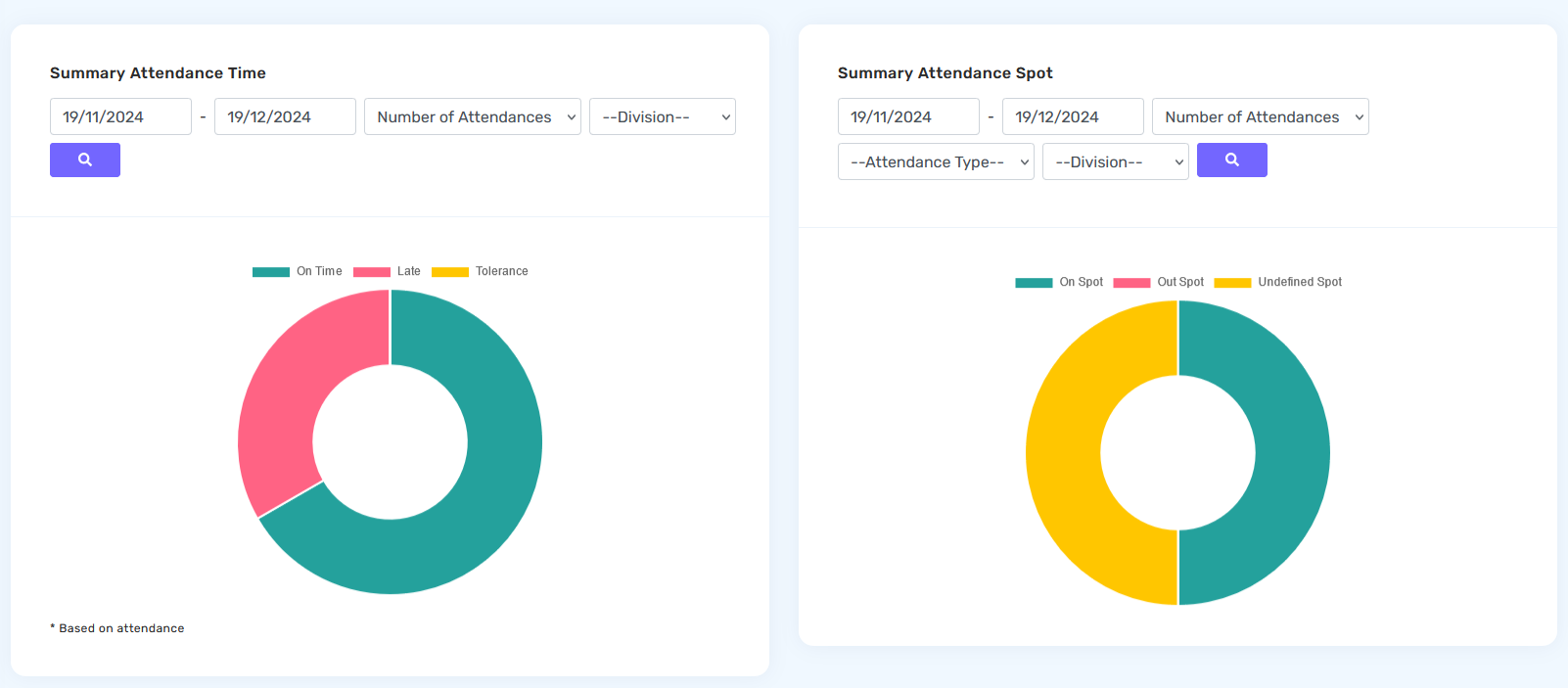
Summary Attendance Time and Summary Attendance Spot
A diagram that displays information in the form of a summary of employee attendance and also the location of employee attendance which can be filtered based on certain periods and divisions.
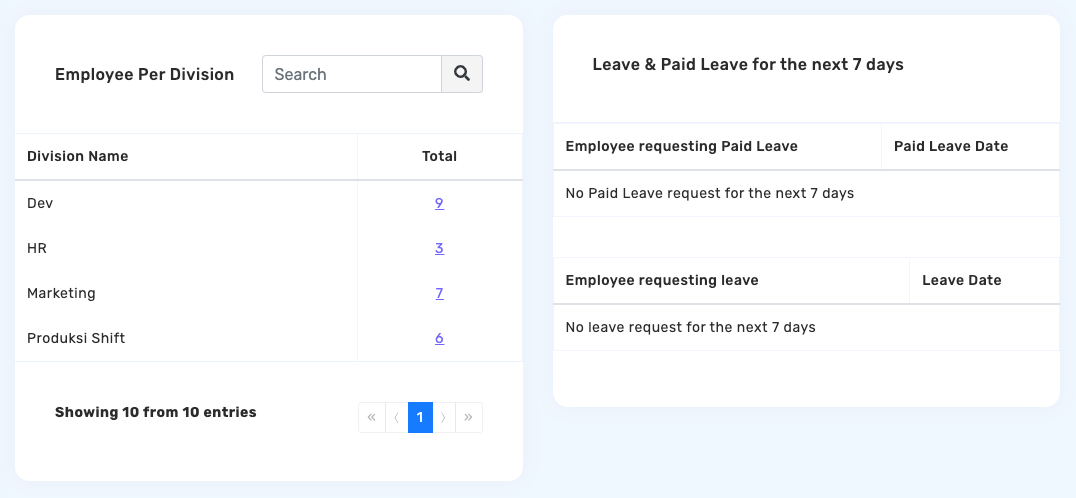
Number of employees per division and employee leave and permission data for the next 7 days.
Contains information about the number of employees per division as well as the number of employee requests for permission and leave for the next 7 days.