Approvals for Supervisors
How supervisors and approvers process employee requests directly from the Kerjoo app.
Employees assigned as division supervisors or as approvers in an approval flow can process their team's requests directly from the app, without opening the admin panel. Requests that can be processed in the app include:
- Leave days and leave hours
- Paid leave
- Attendance revisions
- Device registrations
- Attendance requests outside the allowed time (attendance restriction)
Processing a Request
Open the notice
When a new request arrives, you get a notification. Open the Message tab; requests waiting for your review appear in the Submission tab, such as leave day requests or attendance change requests. Use the Unread filter to see the ones you have not opened.
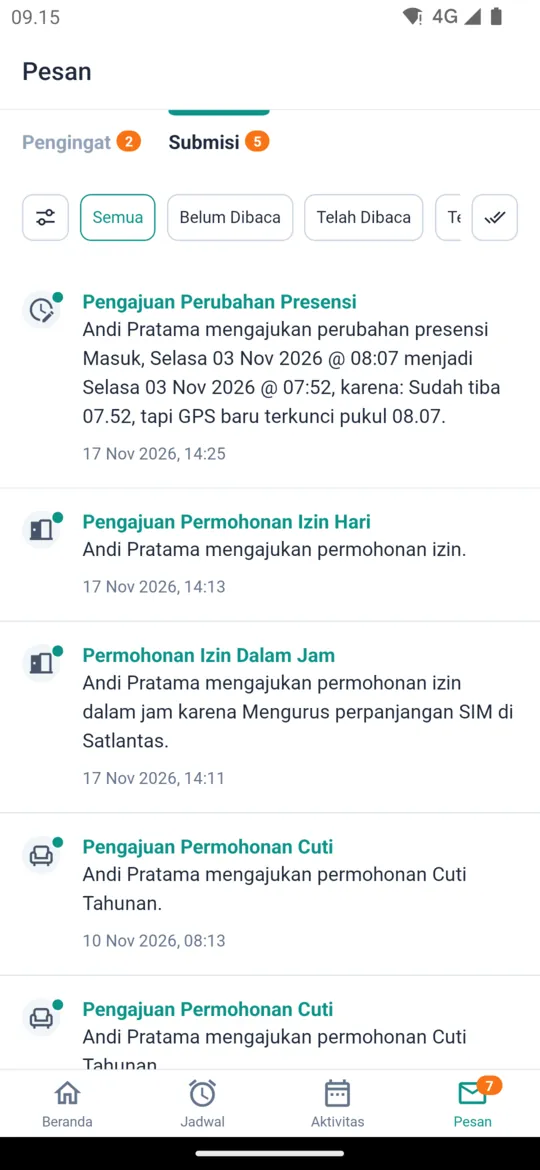
Check the request details
Tap the notice to open the request details, such as dates, necessity, attachments, and supporting information like the remaining leave quota.
Approve or reject
Tap Approve or Reject. When rejecting, fill in the Rejection Note so the employee knows why. With multi-level approval, you can also add Notes when approving. For leave hours only the Reject button is available, because leave hours count as approved unless rejected. For attendance requests caused by an attendance restriction, only the Approve button is available.
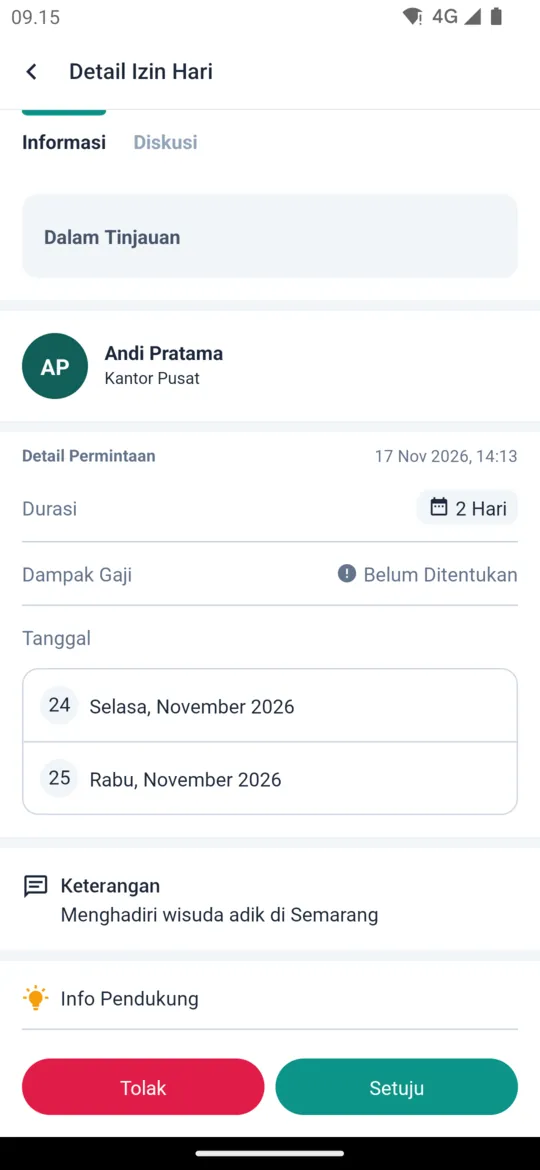
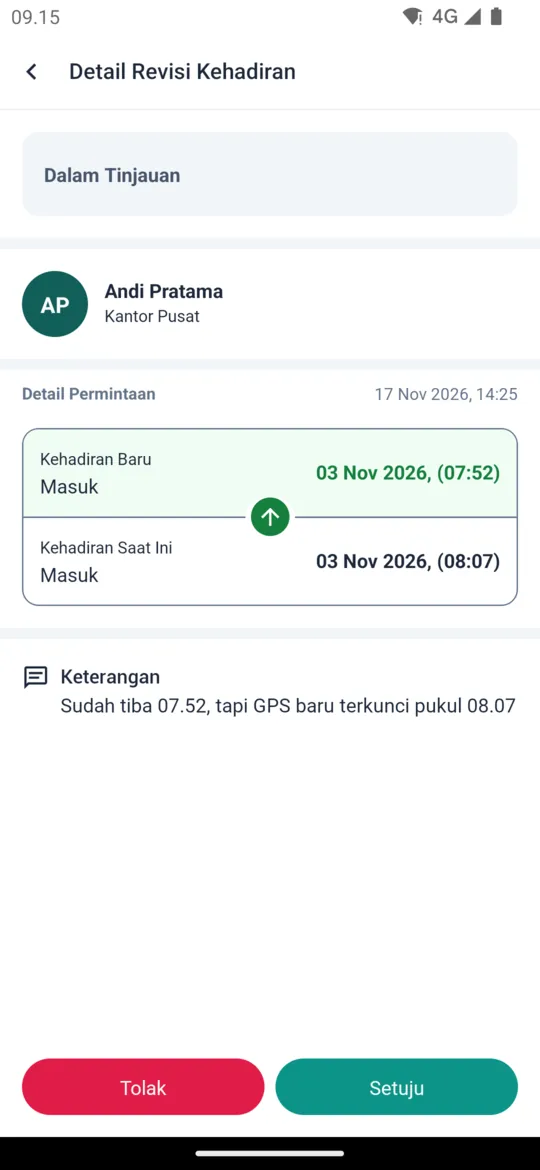
Once processed, the employee is notified of the result.
For admins:
Division supervisors are set in Divisions. Multi-level approval is set in Approval Rules.