AI Insight
An automatic weekly report that summarizes the last 90 days of client visits and sales, along with the things to act on this week.
AI Insight for Client Visits is an automatic weekly report that summarizes client visit and sales activity over the last 90 days. From this report, you can see what needs attention and follow-up this week.
With the AI Insight menu, Admins no longer need to go through large amounts of visit data and sales notes one by one. All the important information is summarized in a single report so it is easier to read and understand. Every Monday morning, Kerjoo prepares the report from the last 90 days of data, covering visit activity, visit notes, sales transactions, and client visit schedules.
All figures in the report are still calculated by Kerjoo. AI only helps group the visit notes and write explanations so the information in the report is easier to read and understand.
Who gets the report:
The AI Insight report is available to companies on an active paid plan that includes the Client Visit feature, namely the Pro, Master, or Advance plans. The company also needs at least 10 visits in the last 30 days for a report to be generated. Note that accounts still on a trial cannot access this report yet.
Report language:
The menu and labels follow the selected language, but the report text is written in Indonesian.
How to Open AI Insight
Follow these steps to view the AI Insight report:
- Open the menu
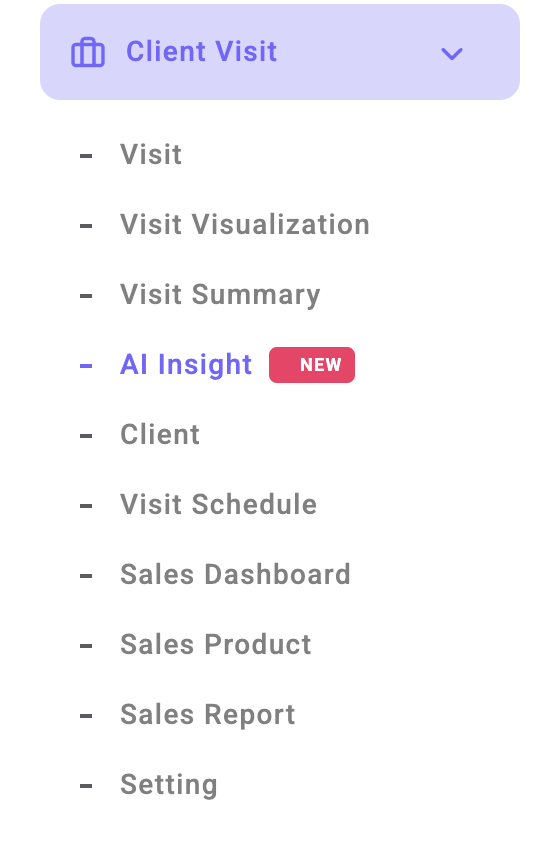
- The latest weekly report is shown automatically. To see an earlier report, click Report week, then choose the date of the report you want to open.
Note:
The AI Insight menu can be opened by the Admin and by Sub-Admins who have access to the Visit Summary menu. If the AI Insight menu does not appear, make sure your account has that access. Sub-Admin access can be set in the User Sub-admin menu under Role Management.
Buttons at the Top of the Report
| Button | Function |
|---|---|
| Report week | Choose a date to see the report for a specific week. Each report is dated on the Monday it was generated. |
| Regenerate | Rebuilds this week's report using the latest data. A report can only be regenerated once a day. |
| Weekly report: On / Off | Sets whether the weekly report is generated automatically for the company. When it is turned off, no new reports are generated. |
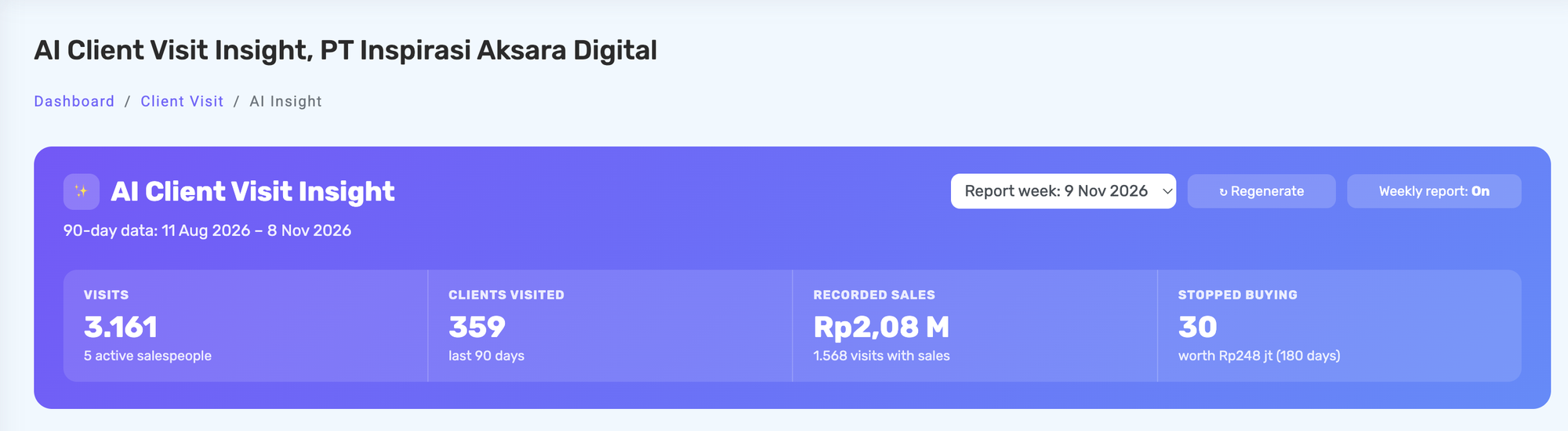
Below these buttons are the key figures from the last 90 days: the number of visits, clients visited, recorded sales, and the number of clients who stopped buying.
Report Contents
Summary
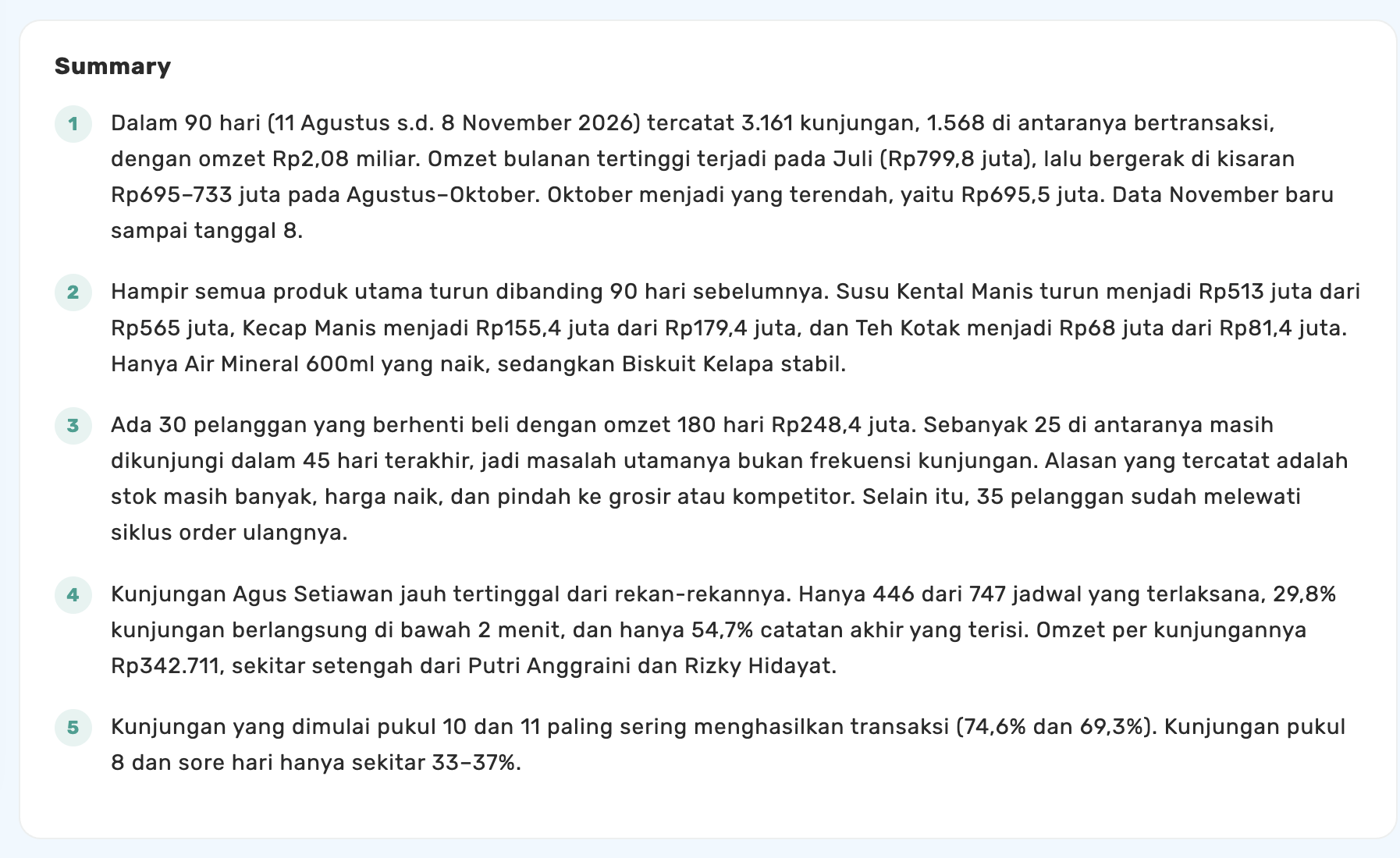
This section shows the key points from visit and sales activity over the last 90 days. It can include changes in monthly sales, products whose sales dropped, and the visit times that most often lead to a sale. Use this summary to understand overall sales conditions and spot the things the sales team should pay attention to.
Recommended Actions
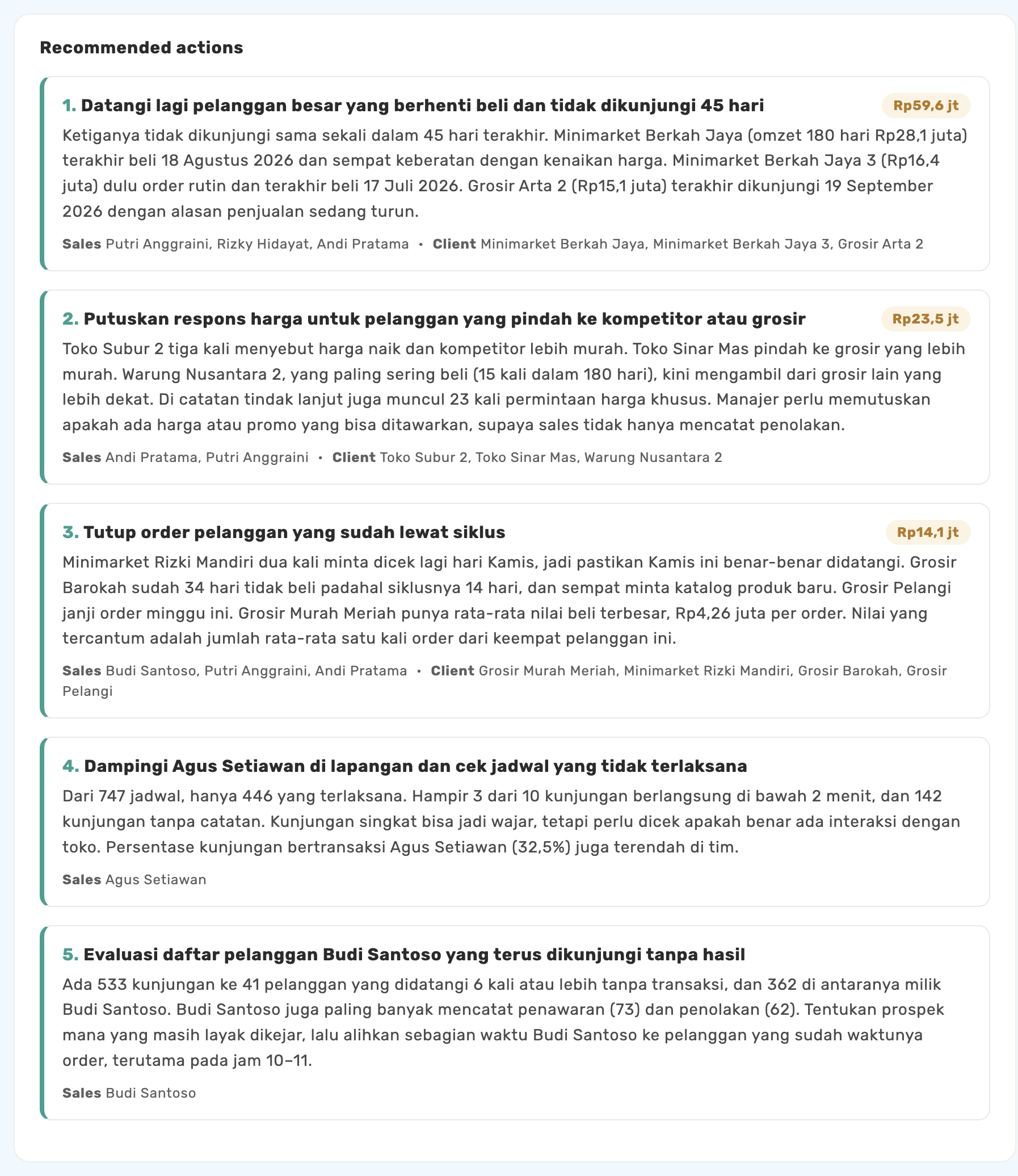
Contains up to five follow-up recommendations based on the analysis of visit and sales data. Each recommendation includes the reason, the related salespeople and clients, and an estimated transaction value when available. Admins or sales supervisors can use these recommendations to decide work priorities and steer the team's activities for the following week.
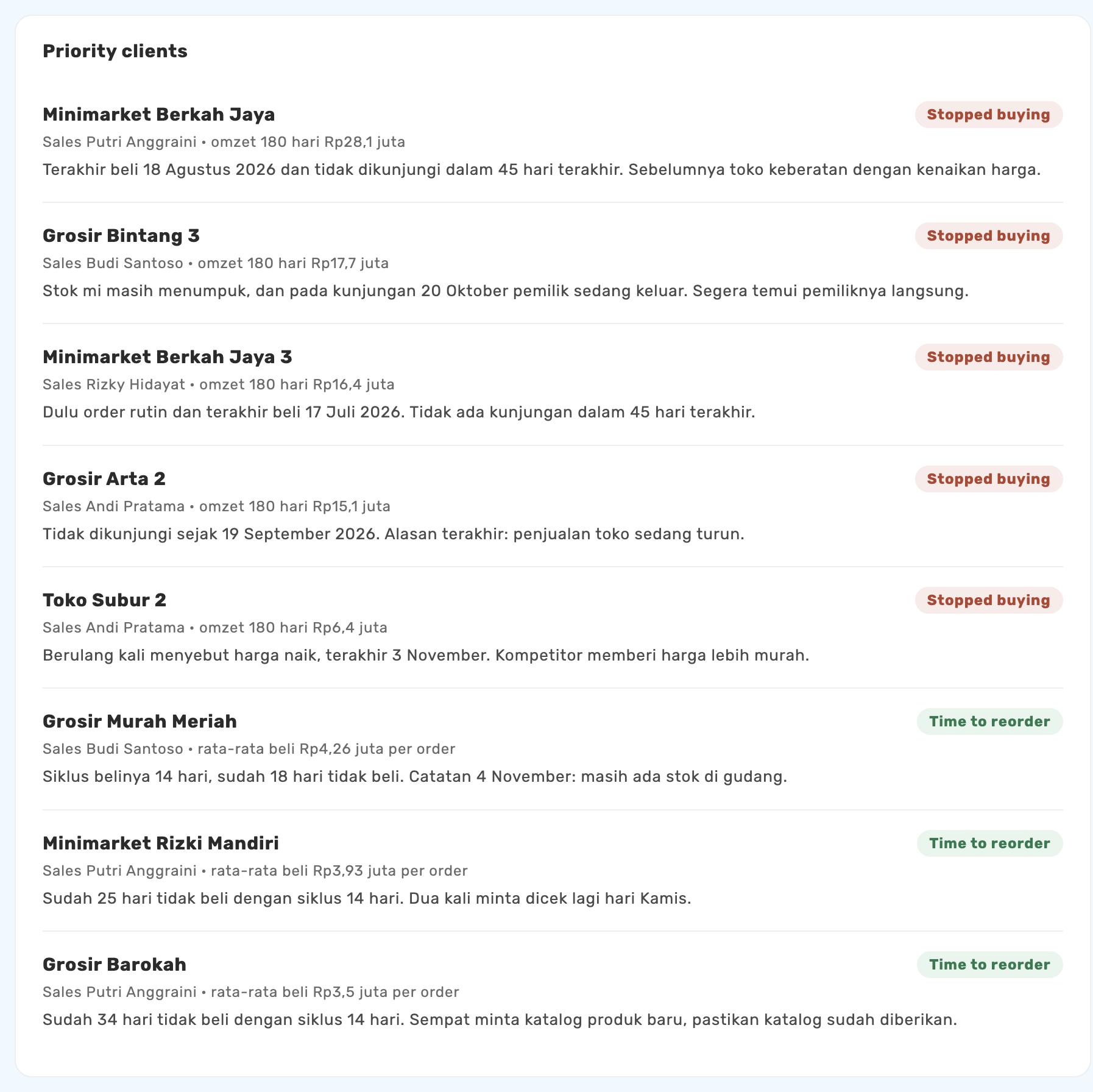
Priority Clients
This section shows clients the sales team should follow up on soon. There are two client labels:
- Stopped Buying: Clients who made a purchase within the last 180 days but have not bought again in the last 45 days.
- Time to Reorder: Clients who have not bought again even though they have passed their usual buying pattern or cycle. For example, a client who usually orders every 14 days but has now gone 25 days without ordering.
Visit Outcomes from Notes
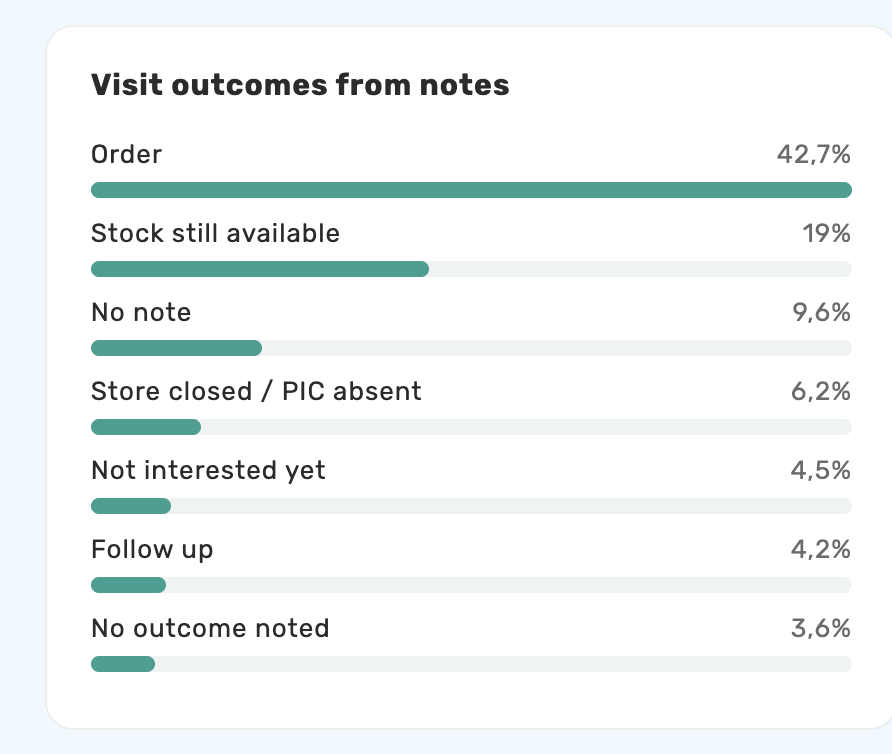
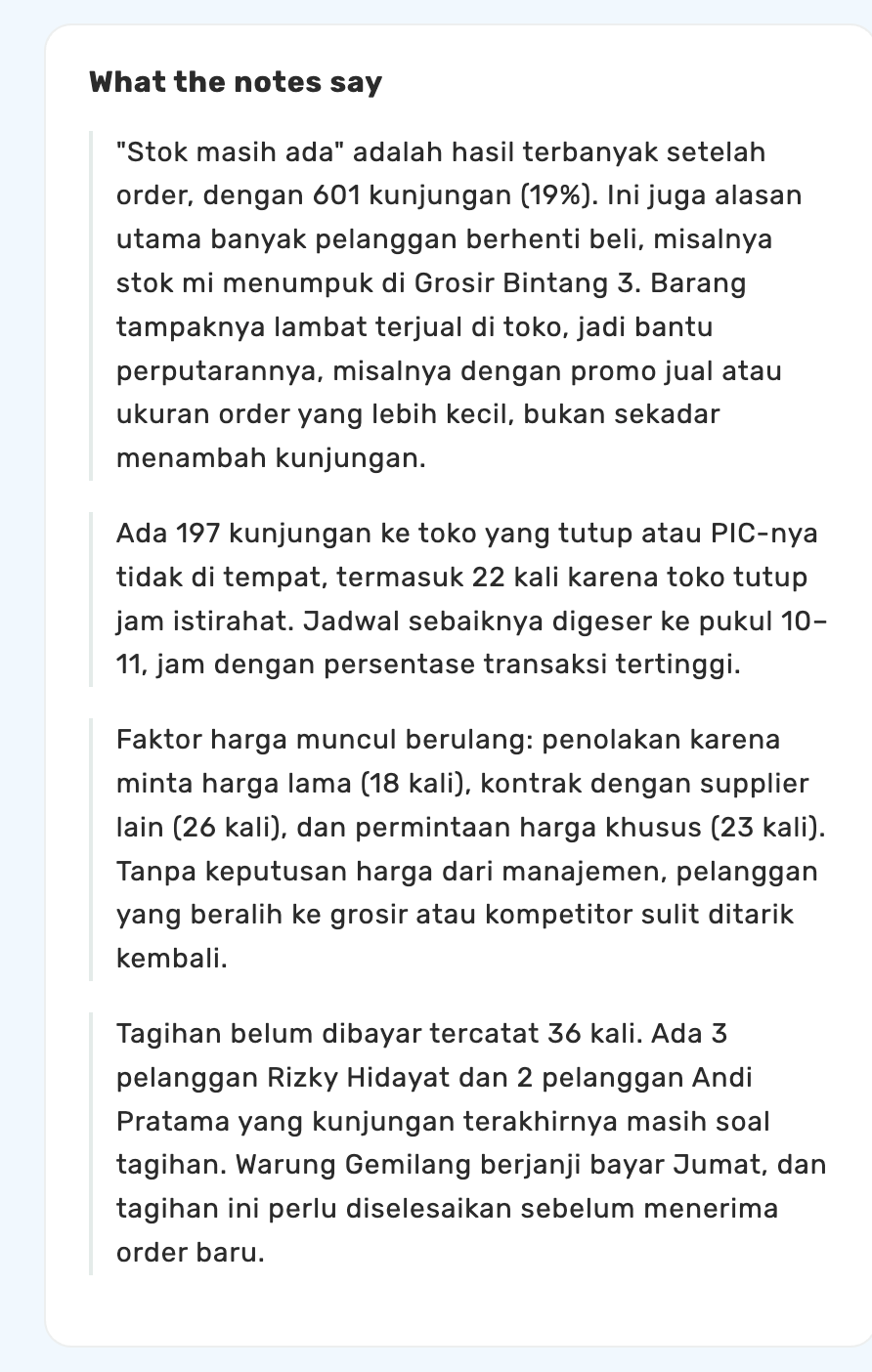
Visit notes are grouped automatically by their content, such as order, stock still available, not interested yet or refused to order, store closed or contact person absent, unpaid invoice, and payment received. Each group is shown in a chart with its percentage. You can find a fuller explanation in the What the Notes Say section.
Sales Performance
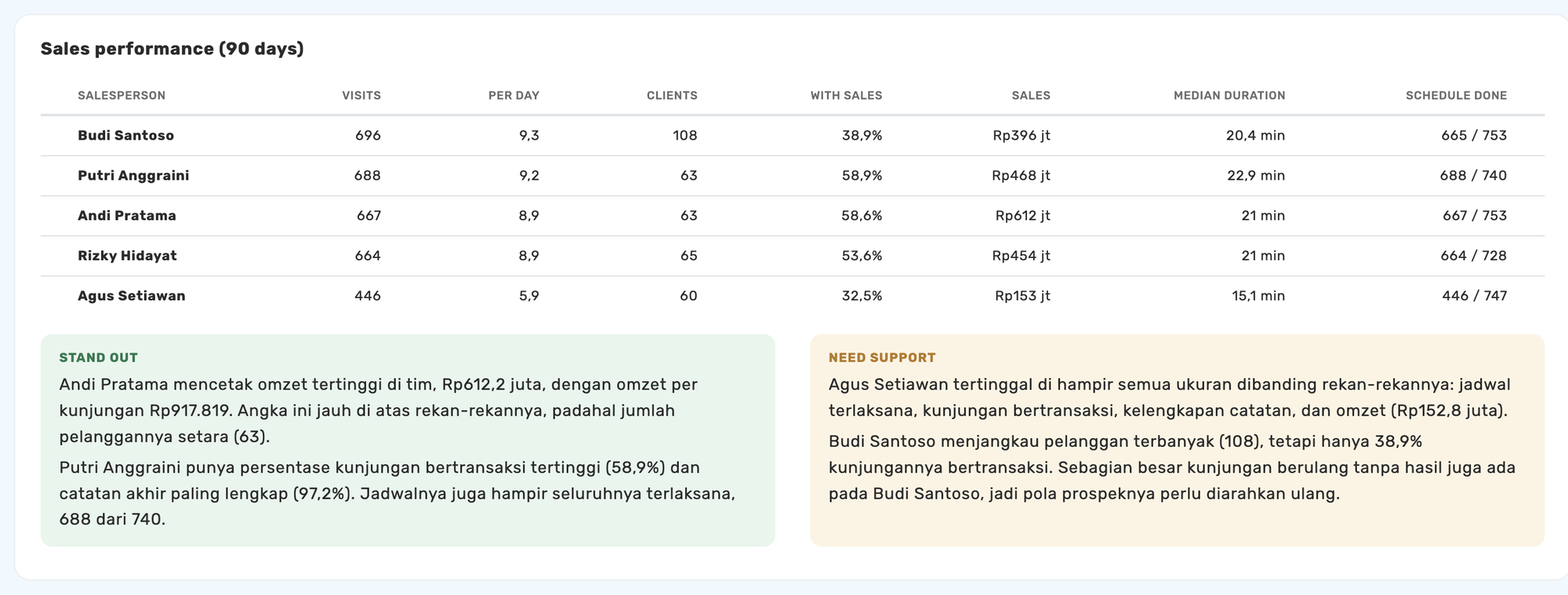
Shows a table of each salesperson's activity and results over the last 90 days. It includes the number of visits, average visits per day, clients visited, share of visits that led to a sale, sales, median visit duration, and the number of schedules completed.
Below the table are two additional categories:
- Stand Out: Shows salespeople whose results or achievements stand out based on the indicators in the report.
- Need Support: Shows salespeople who may need coaching or review based on their visit results.
Very short visits are flagged as something to look into further, not immediately treated as a violation.
Data Quality
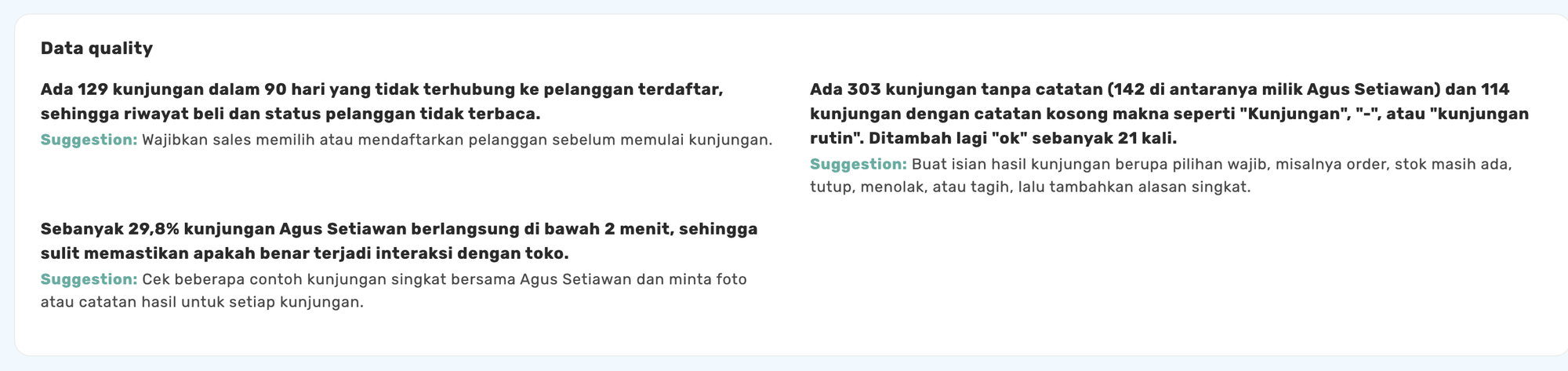
Helps the company see whether the recorded visit data is complete enough to produce a good report. Kerjoo shows recording issues that should be fixed, such as visits that are not linked to a registered client or visit outcome notes that are often left empty.
Report Rating
After reading the report, Admins can rate it using the star icons at the bottom of the page. Your feedback helps Kerjoo evaluate and improve the AI Insight report so the information becomes more relevant to the company's needs.

Weekly Report Email
The AI Insight report is emailed automatically to the company Admin every Monday morning. From that email, the Admin can read the summary of the analysis, the recommended actions, and the list of priority clients.
Data Privacy
Kerjoo applies data protection measures when processing information with AI. These include:
- Salesperson and client names are replaced with codes, such as S01 and P00001, before the data is processed by AI.
- Visit notes are cleaned of personal information, such as names, phone numbers, email addresses, and long number sequences.
- Addresses, location coordinates, and visit photos are not sent to the AI provider.
- The codes are matched back to the real names when the report is displayed.
Why Is the AI Insight Report Not Available Yet?
If the AI Insight page shows the No report yet status, check the following:
- The first report is generated on the next Monday morning after all requirements are met.
- The company has at least 10 visits in the last 30 days.
- The weekly report is not set to Off.
Once all requirements are met, you can click Generate now to create a report without waiting for the next Monday. Generating a report usually takes about 2–5 minutes.
Tips for a better report:
For the AI Insight report to present more relevant information, make sure the sales team records visits completely and consistently. A few things to keep in mind:
- Ask salespeople to fill in the visit end note with a clear outcome, for example "ordered 5 boxes" or "stock still available".
- Choose clients from the Client list.
- Record sales transactions on the related visit.
- Make sure schedules and visit outcomes are updated to match what actually happened.
Companies that do not record sales transactions yet can still get a report focused on visit activity, notes, schedules, and invoices.