Report
Displays a recap of employee payroll data in a more structured report format.
Through this menu, HR or admins can view a summary of payroll data for a specific period for monitoring, documentation, and internal company reporting purposes.
The report displays paid salary statistics as well as a recap of BPJS and PPh 21 payments. Each month, the company can monitor total expenses for BPJS and PPh 21.
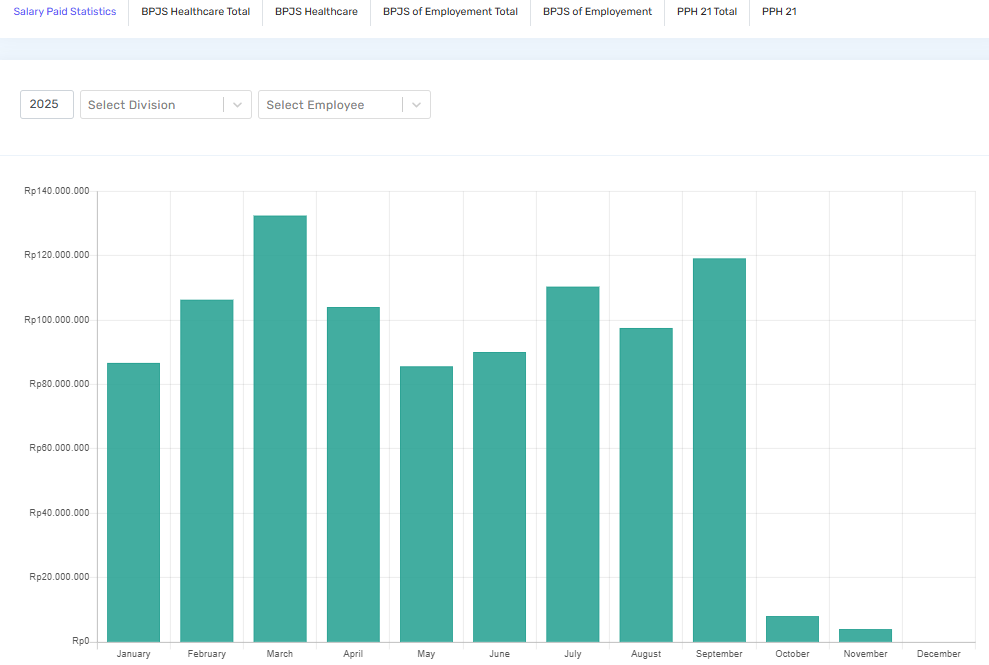
Features available on the Report page
- Period Filter
Used to select the month and year of the payroll report to be displayed, so HR can view payroll data for the required period. - Division Filter
Allows users to display reports based on a specific division, making it easier to analyse payroll data per department. - Search
Helps users find employee data more quickly by name or other related information. - Payroll Report Table
Displays a summary of employee payroll data, such as employee name, payroll period, and information related to earnings that have been processed in the system. - Export Data
Allows users to download the payroll report in Excel format, so the data can be used for company documentation or further processing.
With the Report menu, companies can monitor and document payroll data more neatly and simplify the evaluation or financial reporting process related to payroll.